Step 1
Scan
Take a clear photo of a mole or skin lesion on your phone or computer.
Private skin spot check
DermaVision by NextPath Labs
Take a photo of a mole or mark and DermaVision helps you understand whether it looks routine, worth watching, or worth showing to a professional. It is private, simple, and made to help you take the next step with more confidence.
Early awareness matters
DermaVision helps you check skin lesions privately, understand risk guidance, and know when to consider dermatologist review.
98%
Melanoma survival when caught early
1 in 5
People develop skin cancer in their lifetime
3/day
Free scans with an account
How it works
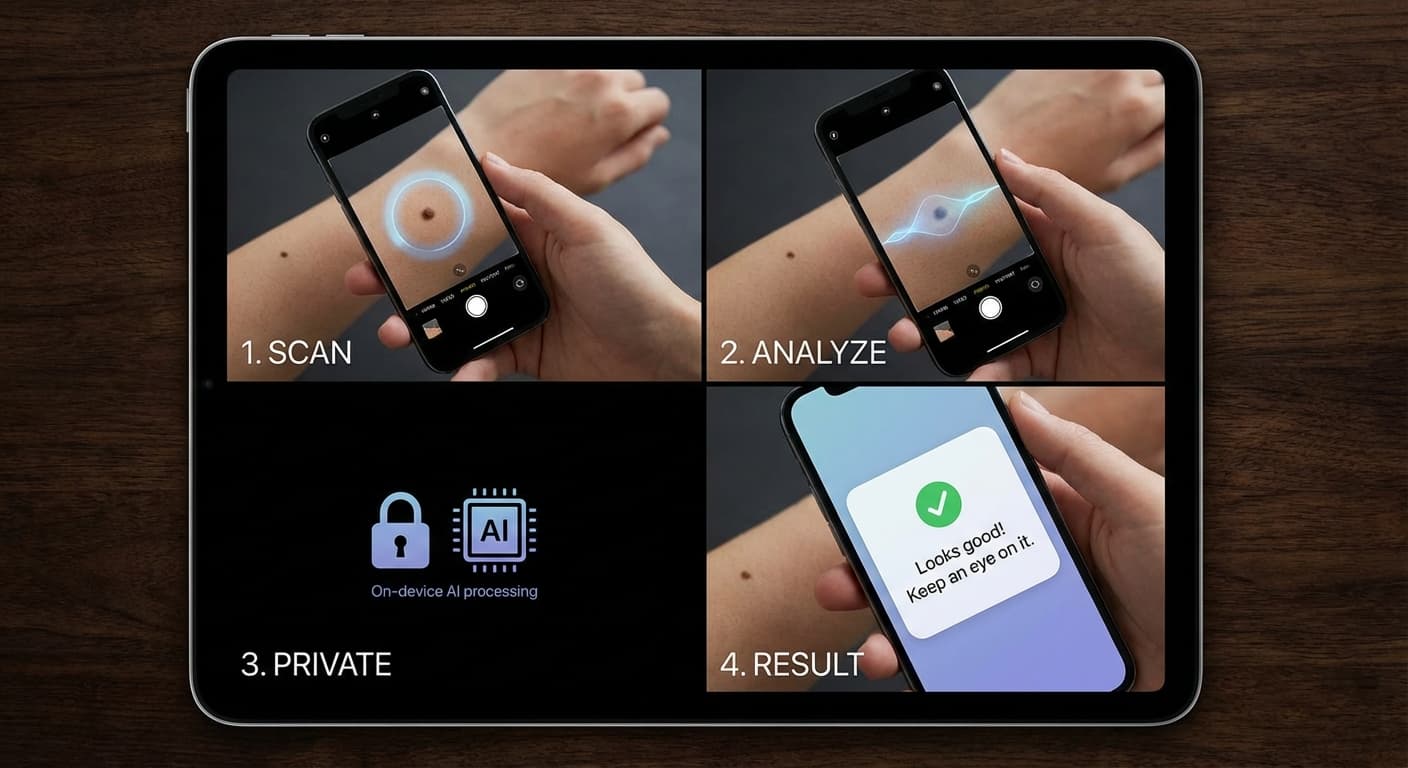
From photo to risk guidance in four steps — built for careful screening, not emergency triage.
Step 1
Take a clear photo of a mole or skin lesion on your phone or computer.
Step 2
Local AI models run in your browser. Images are not uploaded for server-side inference.
Step 3
See risk guidance and next steps. Screening support only — not a diagnosis.
Step 4
Keep optional local image history on this device to track changes over time.
Why DermaVision
Your lesion image stays on your device during AI screening.
Educational articles explain asymmetry, border, color, diameter, and evolution.
Create an account to complete up to three scans per local day at no charge.
Learn
Read educational articles without an account.
FAQ
No. DermaVision provides local AI screening guidance only. It does not replace a dermatologist, clinician, or emergency care.
Lesion images are analyzed locally in your browser and are not uploaded for AI screening. Optional Local Image History stays in this browser only.
DermaVision compares your photo to visual patterns linked to common lesion types, including moles (nevi), melanoma, basal cell carcinoma, squamous cell carcinoma, seborrheic keratosis, actinic keratosis, vascular lesions, inflammatory or infectious rashes, and other benign or malignant-looking patterns. These are screening suggestions only — not a diagnosis.
Public guides are free to read. Real scans require a verified account, screening consent, and a supported browser.
Screening is free up to three scans per local day when you have an account. Donations are optional.
Help sustain DermaVision
Donations help cover model hosting, security, educational content, and the infrastructure needed to keep daily local AI screening accessible without subscriptions.
Community funded
Every contribution helps NextPath Labs maintain the app and keep the experience focused on screening support.
Donate to support the appDonations are optional and do not change the daily scan allowance.
DermaVision is not a medical device and does not provide diagnosis or treatment. If you have severe pain, rapid bleeding, signs of infection, or feel seriously unwell, seek urgent medical care.